Signal Admin publishes
Create a trade plan with symbol, direction, Entry, SL and targets. Publish it before the outcome.
Signal admins send clear trade details. Members review the trade, choose their own risk and send it to connected MT4/MT5.
A signal is a trade idea, not a guarantee. Each member chooses trade size and remains responsible for their account risk.
Provider means the signal admin. Follower means the member receiving signals. These technical account labels may still appear in settings.
Build once in FXVNPro. Publish the trade plan to Telegram. Let VIP MEMBERs review Entry, Stop Loss and Targets, choose their own Risk %, and send the trade to MT4 or MT5.
Create a trade plan with symbol, direction, Entry, SL and targets. Publish it before the outcome.
The VIP group receives a clean setup card with View Setup and ⚡ Trade This Setup.
The Member reviews the setup, selects Risk % and confirms. No broker password is shared with FXVN.
The connected Member Bridge receives the request and places it in MT4 or MT5.
Launch pricing for the FXVN Smart Trade platform. Signal Admin subscription is separate from any VIP fee a Signal Admin may charge Members.
For new SIGNAL GROUP ADMINs building their first community.
For established Signal Admins growing a paid VIP service.
For larger communities and multi-group operations.
FXVN does not charge a platform connection fee to join a participating Signal Admin during launch. A Signal Admin may charge separately for access to its VIP strategy or signals.
The current Local Bridge workflow does not require the Member to give FXVN a MetaTrader broker password.
Member onboarding uses temporary connection and device activation. Bridge credentials stay hidden in the modern flow.
Current Smart Trade requires the Member to review Risk % and confirm before the request is sent to MetaTrader.
Current Smart Trade is confirmation-based. The Member opens the trade setup, chooses Risk % and confirms before sending it to MT4/MT5. Do not treat this page as a promise of zero-click Auto Follow.
No. The VIP MEMBER only needs the Member MT4/MT5 Connector for execution. Signal Admin/Admin verification is a separate workflow used to build the Signal Admin's verified public track record.
No. The architecture is designed for Signal Admin and Member terminals to operate independently, subject to symbol availability and broker trading conditions.
Use the step-by-step Getting Started guide. It walks Signal Admins and VIP MEMBERs through Telegram, group connection, Member invitation, connection and the first Smart Trade.
Open the FXVNPro bot or follow the complete hand-holding setup guide.
Trading involves risk. FXVN provides workflow and execution infrastructure; it does not guarantee trading performance.See exactly what a Telegram group admin and VIP member experience — using real setup, Telegram and MT5 screenshots.
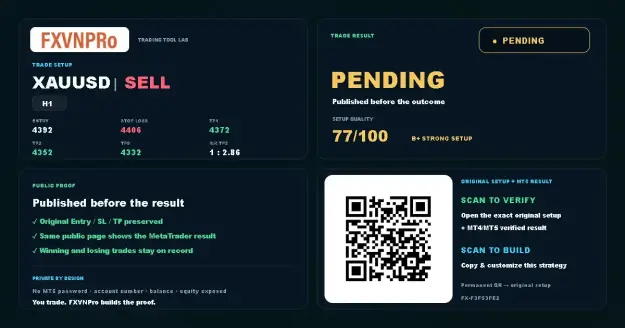 1 · SETUP
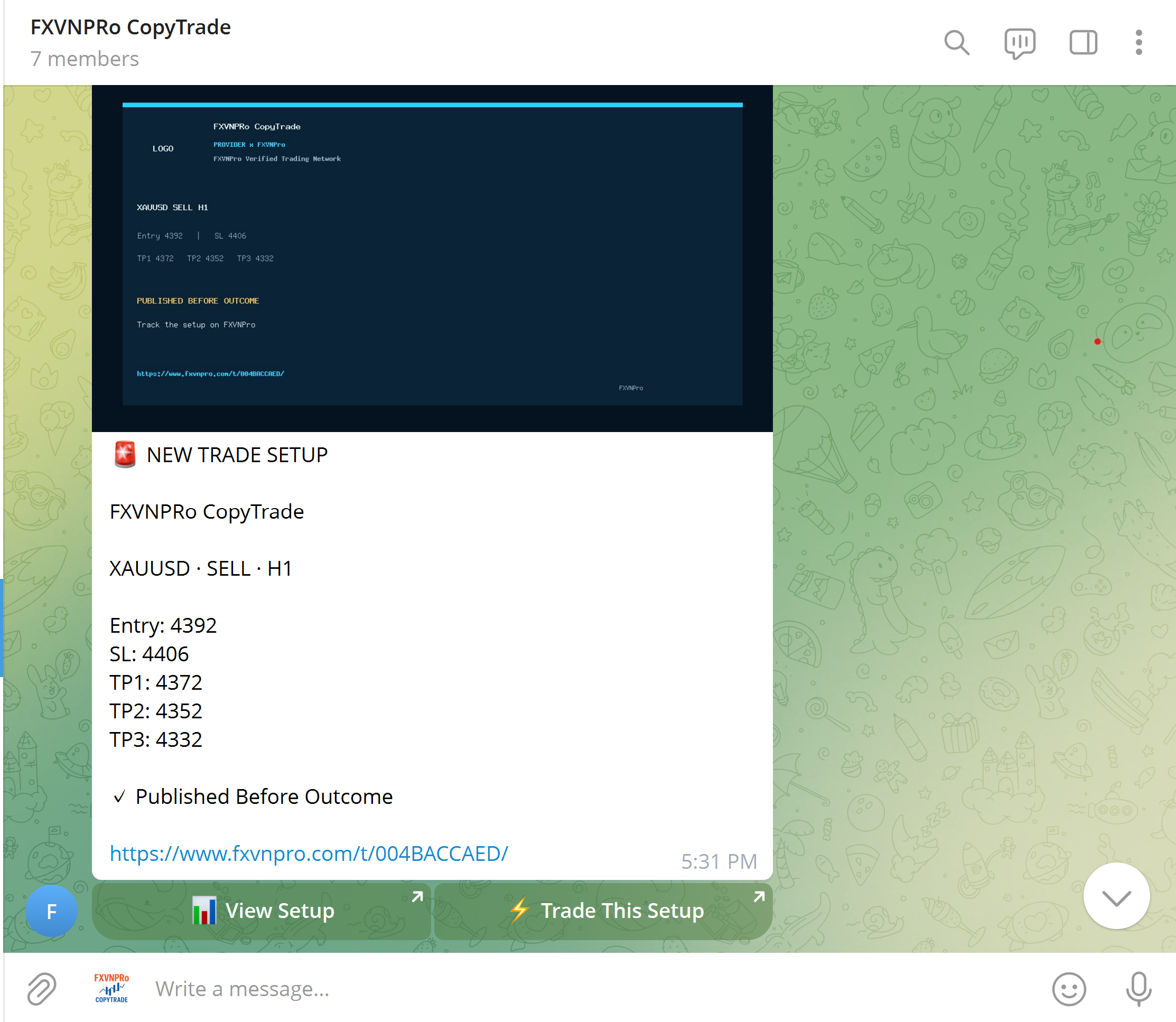 2 · TELEGRAM
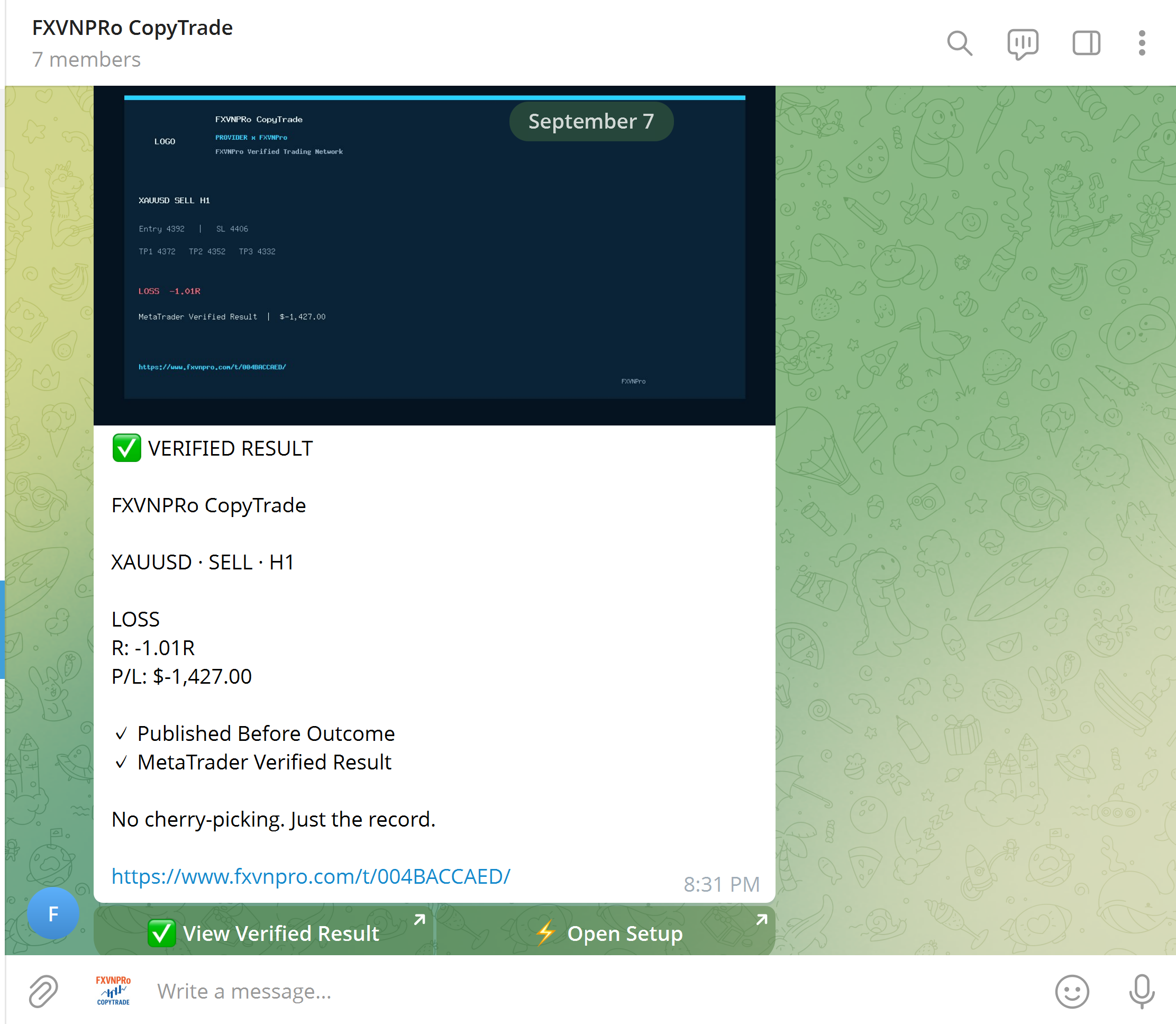 3 · VERIFIED
Talk directly with FXVNPro Support. Tell us your group size, Free or VIP model, main markets, and how many Members you want to connect. We will recommend the right Signal Admin plan and guide the initial setup.
Build your strategy, USE TELEGRAM it to a community, or follow trading activity across MT4 & MT5.
Create Entry, Stop Loss and Targets before the outcome, then build a verified trading record.
Turn Telegram signals into an simple trade flow while Members keep control of their own risk.
Connect Chrome to MT4 or MT5 and open, modify or close trades from your browser.
Explore TRADERs and copy trading activity to your own MT4 or MT5 terminal with risk settings you control.
 GUIDE
GUIDE